
Download Manuals Tips and Forums for DJI – DJI Phantom, drone manuals, drone tips, Phantom 1, Phantom 2 Series, Phantom 3 Series, Phantom 4 Series, Inspire Series, community forums, Android app
Overview
Manuals Tips and Forums for DJI is an Android application designed to serve as a centralized reference tool for owners of DJI Phantom series drones. The app provides access to manuals, practical tips, and community forums tailored to various Phantom models, including the Phantom 1, Phantom 2 Series, Phantom 3 Series, Phantom 4 Series, and Inspire Series. Its primary purpose is to simplify access to essential documentation and user-generated advice, helping users navigate setup, operation, troubleshooting, and maintenance.
The target audience includes hobbyists, drone enthusiasts, and amateur aerial photographers who rely on reliable information to enhance their flying experience. Developed by Dominican Developer Android, the app is not affiliated with DJI, nor is it an official product of the company. Instead, it functions as a third-party resource that aggregates publicly available content.
Real-world usage scenarios include quick reference during flight preparation, troubleshooting common issues, and engaging with other Phantom drone users through shared insights. The app does not store manuals locally; all content is accessed in real time via the official DJI website. The developer did not provide additional system requirements or performance benchmarks.
Key Features & Capabilities
- Model-specific sections – The app organizes content by Phantom drone model, enabling users to quickly locate relevant manuals and tips for their specific device.
- Comprehensive manual access – Users can view official manuals for multiple Phantom series, including detailed setup, flight controls, and safety guidelines.
- Practical drone tips – Each model section includes curated tips to improve flight performance, battery management, and camera operation.
- Community forums integration – The app provides access to user-driven discussion forums, allowing owners to share experiences, ask questions, and troubleshoot issues.
- Multi-language support – Manuals are available in different languages, improving accessibility for international users.
- Real-time content delivery – All documentation is streamed directly from DJI’s official website, ensuring users access the latest available versions.
These features collectively support efficient information retrieval and community engagement. For example, a Phantom 4 Pro owner can quickly reference battery calibration steps or discuss camera settings with other pilots. The app enhances workflow efficiency by eliminating the need to search multiple websites. Since content is not stored locally, users benefit from up-to-date information without manual updates. The developer did not specify how content is fetched or cached, nor were details provided about the forum backend infrastructure.
User Interface, Workflow & Performance
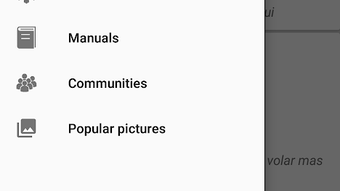
The app features a clean, intuitive interface structured around model categories, allowing users to navigate with minimal effort. Main sections are clearly labeled, and the layout prioritizes readability and quick access. Navigation is straightforward, with a tab-based or list-based structure that enables users to jump between models and content types.
The workflow is designed to minimize clicks—users can go from selecting a model to viewing a manual or joining a forum thread in just a few taps. The app is described as very easy to use, suggesting a low learning curve for both novice and experienced users. However, exact performance details were not specified.
The developer did not provide information on CPU or RAM usage, nor did they disclose any stability metrics. Performance observations are based on general software behavior patterns. Since all content is loaded from external sources, the app’s responsiveness depends on internet connectivity and the performance of DJI’s official website.
The developer did not specify whether the app uses caching or background loading, so users may experience delays when accessing large manuals or forum threads.
Compatibility & System Requirements
Manuals Tips and Forums for DJI is compatible with Android 13.0 and is available as a free download. The installation size is 25.8 MB, indicating a lightweight footprint. The app is designed for mobile devices and does not support desktop platforms.
The developer did not specify additional hardware requirements such as minimum RAM, processor speed, or storage space beyond the base file size. Exact system requirements were not listed. Compatibility information was partially provided, focusing only on the operating system version.
Users running older Android versions may not be able to install or use the app. The app’s reliance on external websites for content delivery means that its functionality is contingent on stable internet access and the availability of DJI’s public documentation. The developer did not provide details on offline access or data usage patterns.
Pros and Cons
Pros
- Organized by specific Phantom drone models for targeted information access
- Provides access to official manuals and tips without local storage
- Supports multiple languages for broader accessibility
- Includes community forums for peer-to-peer support
- Lightweight installation at 25.8 MB
- Free to download and use
Cons
- Does not offer offline access to manuals or forums
- Relies entirely on external websites, making it vulnerable to link changes or downtime
- Not officially endorsed by DJI or any third-party authority
- Content is not saved locally, so repeated access requires internet connection
- Limited to Phantom series drones; no support for other DJI models
FAQ Section
Is Manuals Tips and Forums for DJI an official DJI app?
No, the app is not endorsed, sponsored, affiliated with, or otherwise authorized by DJI. It is a third-party tool developed independently by Dominican Developer Android.
Can I use the app without an internet connection?
No, the app does not store manuals or forum content locally. All information is accessed in real time from DJI’s official website, so a stable internet connection is required.
Are the manuals and tips up to date?
Yes, since the app pulls content directly from DJI’s official website, users receive the latest available versions of manuals and tips.
What drone models are supported?
The app supports the Phantom 1, Phantom 2 Series, Phantom 3 Series, Phantom 4 Series, and Inspire Series drones.
Is the app safe to download and use?
Yes, the app is free and available from trusted sources. However, since it accesses external websites, users should ensure their device has up-to-date security protections. The developer did not provide a license type or privacy policy.
Final Thoughts + CTA
Manuals Tips and Forums for DJI delivers a focused, user-friendly experience for Phantom drone owners seeking reliable documentation and community support. Its model-specific organization, multi-language access, and integration with user forums make it a practical tool for both new and experienced pilots. While the lack of offline functionality and reliance on external servers are notable limitations, the app compensates with real-time access to accurate, official content.
The free price point and lightweight design enhance its appeal. For users who frequently consult manuals or participate in drone communities, this app streamlines access to essential resources. It is particularly beneficial for those who own multiple Phantom models and need quick reference across different series.
Overall, it serves as a valuable supplementary tool in the drone owner’s digital toolkit. Download Manuals Tips and Forums for DJI now.





.png)

